Convert SPPID to HDX
SPPID files can be converted to HDX, to enable them to be worked on graphically in the Aurelia tool.
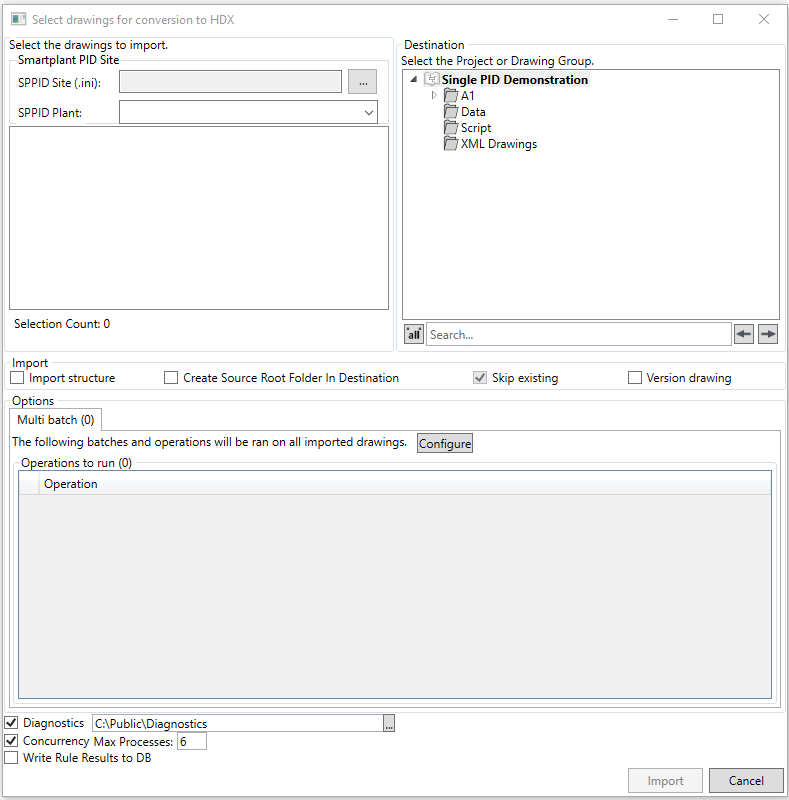
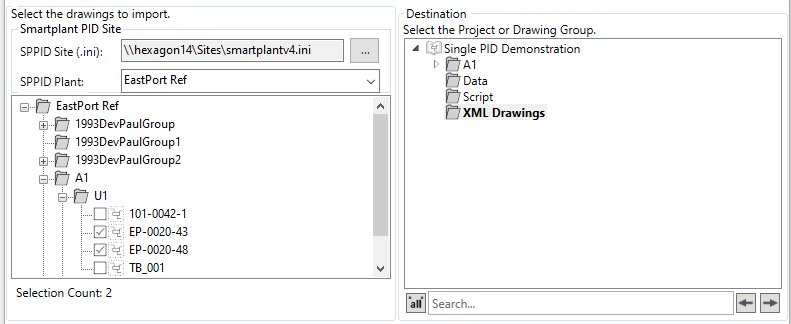
The first step is to select the SPPID .ini via the  button, and set the destination to import the converted HDX files to
The next steo is to sleect the import options

There are four import options
- Import Structure - Imports the drawing in the same folder structure as it exists in the source
- Create Source Folder Root in Destination - Creates the source structure in the project root
- Skip Existing - Skips already imported drawings
- Version Drawing - Versions the drawing as part of the import process (drawings imported from HDX can be worked on graphically in the Aurelia tool)
Multi Batch Operations can be configured via the  button

The Diagnostics, concurrency and writing the configuration rule results to the database can also be set via the checkboxes

The  button imports the drawing(s),
  closes the dialog.