Briefcase Manager
The Briefcase Manager allows the user to Create, Delete, Edit and Download Briefcases of drawings - A briefcase of a drawing is all of the graphics and data for a drawing, exported from the main database in a manner that allows it to be worked on remotely and then seamlessly merged back into the database.
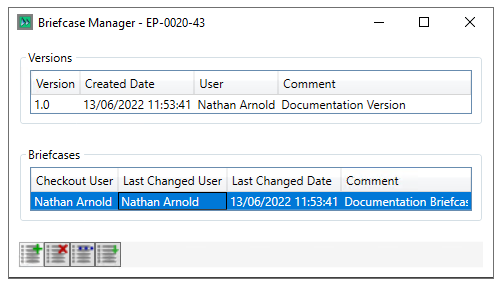
Selecting a Version/Revison enables the Briefcase Creation button
Selecting an existing briefcase Enables the rest of the Briefcase Managment buttons
The  button deletes the briefcase that is currently selected
The  button opens the selected briefcase drawing in the Integrity Designer tool
The  button saves a copy of the briefcase drawing as an HDX file to a location specified by the user.
Create Briefcase
Selecting a Version/Revison enables the Briefcase Creation button
Clicking  Briefcase Creates a Briefcase of your selected version button

A comment can be entered if required
Clicking  creates the briefcase clicking
  closes the dialog