Constants Editor
Hazid Integrity stores engineering and mathematical constants which can be used to conduct calculations within the rules engine. The constants are currently unit free but inputing a united constant in the SI nomenclature will allow them to be used with united values.
The constants are stored as an editable XML file per Hazid Integrity Client installation and as such changes to the file must be distributed to other clients wishing to use the same file.
The Constants Editor displays all of the constants held within the XML
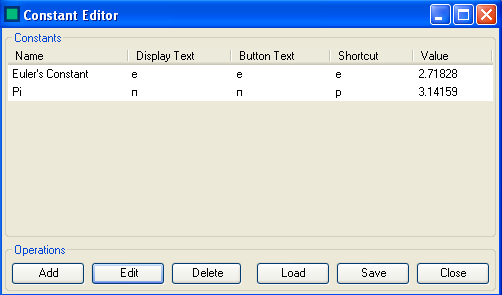
This allows you to Add or Edit Constants, Delete Constants or Load a constant XML from another user.
To Add or Edit a constant see Add Constant
To Load a Constant file see Load Constant File
To Delete a constant highlight the constant that you wish to delete and select 
To Save any changes to the Constants XML file select 
To Close the Constants Editor select  . The Constants Editor will auto detect if any changes have been applied to the file and prompt to save on close.
Add Constants
To Add a new constant to Hazid Integrity select  to open the constant addition form

Enter all of the details as required
- Name - The Constants Name
- Display Format - How you wish the constant to be displayed when in use in a calculation. Selecting Superscript or subscript will enact on the selected text
- Button Text - How you would like the button to be displayed within the calculator for the constant
- Shortcut - Keyboard shortcut key for the constant
- Value - The numerical value that will be set during the calculation
 will save and close the form.
 will close the form and revert all changes.
To Edit a Constant select the desired constant from the list and click 
Load Constants File
Constants can be delivered to your Hazid Client installation via an XML file. This allows all users to share the same constant file for calculations within rules. The constants XML are stored in the Bin folder at the root of your Hazid Integrity installation.
To Load a Constant file select  this will open a browser window.
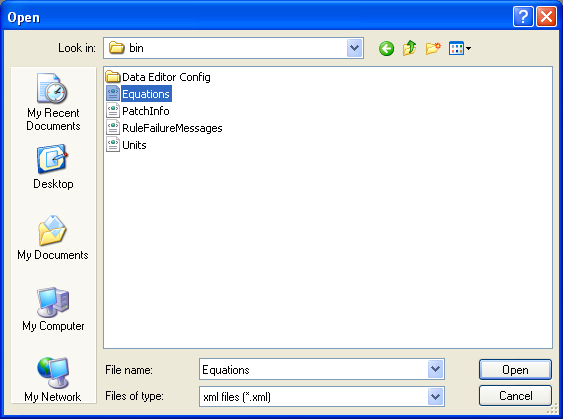
The Constants XML is loaded within the Equations XML when selected.
Once Imported the new constants are available for use with the equations.