Unit Editor
Hazid Integrity automatically converts all united values imported from external applications to one source. This allows rules to run on any plant configuration irrespective of units used, SI or Imperial.
The Unit Editor displays all units and there conversions to the Base. The Base Unit within Hazid Integrity is usually the SI unit.
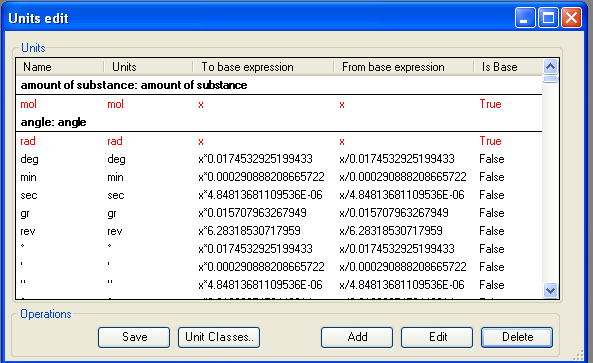
To Add or Edit a Unit see Add New Unit
To Add a new Unit Class see Add Unit Class
To Delete a unit highlight the unit that you wish to delete and select 
To Save any changes select 
To Close the Unit Editor close the window . The Constants Editor will auto detect if any changes have been applied to the file and prompt to save on close.
Add New Unit
To Add a new Unit to Hazid Integrity select  to open the Unit addition form
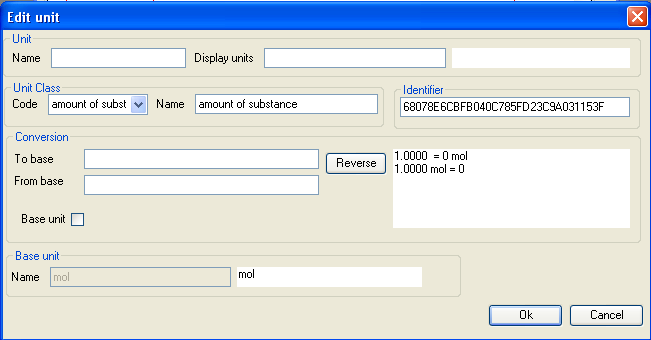
Enter all of the details as required
- Name - The Name of the Unit that you are adding
- Display Unit - How you wish the Units to be displayed when in use (such as m3/s or m^3s-1)
- Code - The class of unit that you are entering (Force, Temperature etc)
- Name - The long name for the unit class
- Identifier - A unique number auto generated to identify the unit when in use.
- To Base - The conversion factor to return the unit to the base value. Use x to demark the base ( cm to base m would be x*0.01)
- From Base - The conversion factor to return the base value to the unit being added. Use x to demark the base (base m to cm would be x*100)
- Base Unit - Selecting the checkbox marks the unit being entered as the Base Unit for the Unit Class
- Base Unit Name - The Name of the Base Unit
To Automatically calculate the From Base select 
 will save and close the form.
 will close the form and revert all changes.
To Edit a Unit select the desired Unit from the list and  .
.
Add Unit Class
All Units within Hazid Integrity grouped into Unit Classes. Hazid Integrity will not allow rules to compare Units which do not belong in the same class.
To View the Unit Class select  to open the form
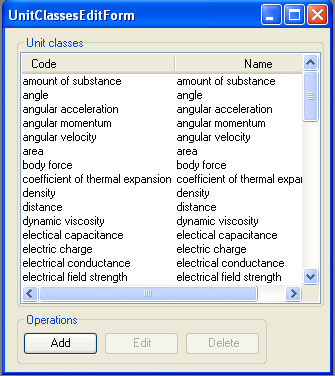
To Add a new Unit Class to Hazid Integrity select to open the addition form

Enter a Unit Code and Name for the new Unit Class
will save and close the form.
will close the form and revert all changes.
To Edit a Unit Class select the desired class from the list and
You cannot edit the code of a Unit Class once it has been created.