Convert Excel to Data Intermediate
Excel can be imported to Hazid Integrity, but it first needs to be converted into an importable xml format, this is carried out through the Excel to Intermediate Conversion routine.
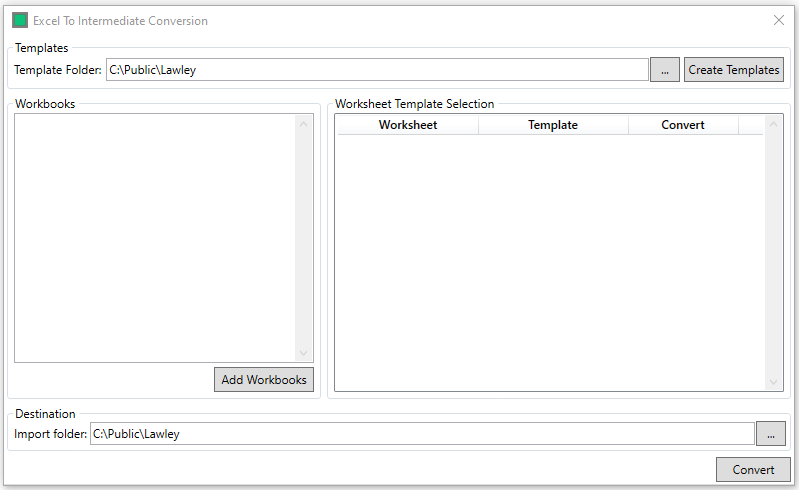
The Template folder is the location where the Excel to Intermediate conversion templates are stored, and can be set via the  button, addtional templates are made in the Excel Template Creation via the
  button
Excel workbooks are added to the conversion list via the  button (this opens a standard file browser)
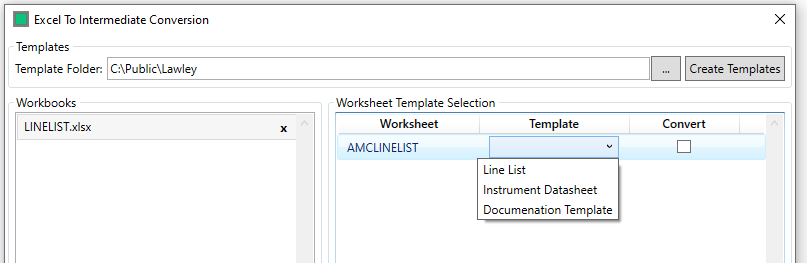
With a Workbook added, and selected, the template and conversion can be set
The Destination is the location to which the xmls are written, selected via the button
Once defined, clicking the  button creates the xml(s)