P&ID Symbol Mapping
Symbol Mapping is used in Hazid Integrity to map a SmartPlant P&ID symbol to a particular equipment item or items knowledge model. This allows Hazid Integrity to build a map of the various different types of equipment present in a plant, and how they are connect to each other. Hazid Integrity uses the knowledge model to determine what P&ID Integrity Rules will be applied to items and to conduct the Safety Analysis on the plant.
In Some situations, a SmartPlant P&ID symbol may have been used twice in a project to represent two different types of equipment item or you may wish to have a special mapping for one item which is different from normal, in these cases P&ID Icon Mapping allows you to override the Project Icon Mapping or the Rule Based Icon Mapping and map the icons to their correct Hazid Integrity Knowledge models.
The first tree within the P&ID Icon Mapping form is a mimic of the Project tree from that entry level

All symbol files which are used in your project are available as the next tree. You can browse the symbol tree to the symbol group or symbol you wish to find the item within. The symbol tree displays the symbols in the same tree as you would find in Catalouge manager.

You can multi select Equipment items using the Shift or Ctrl keys.
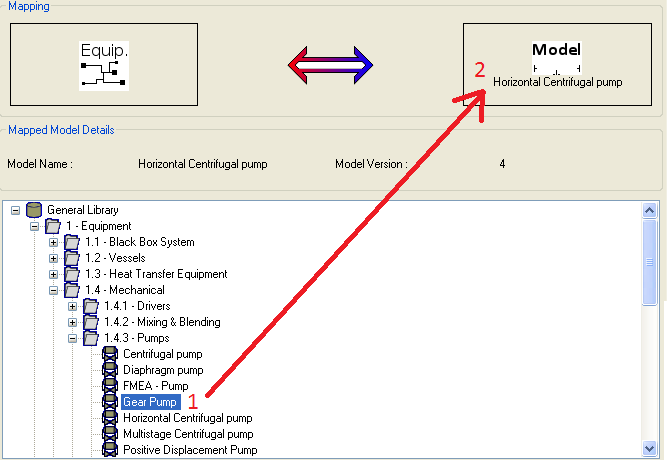
The mapping section for symbols is split into two sections. The first displays the current Icon mapping selected for the symbol and the model details.

The second is the Model Library Tree.
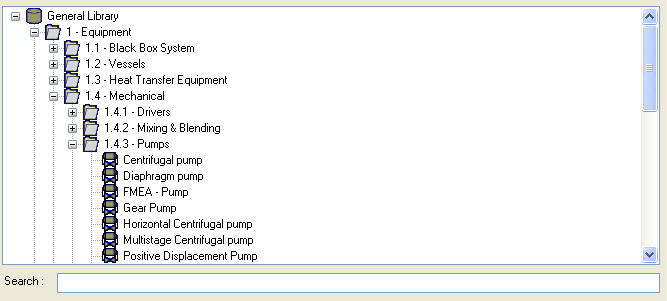
Browse the model tree till you find the Knowledge model you wish to Map to the symbol. You can use the search box to quickly find the knowledge model you desire.
To map the symbol to the model drag the knowledge model (1) to the mapping box(2) in the diagram.