Versioning Documents
New Version
The New Version window allows the user to cretae a new version of a drawing

A description of the version should be entered
Clicking  creates the version,
  closes the dialog
Version History
The Version History window allows the user to view the history of the versions and revision of the drawing they have selected
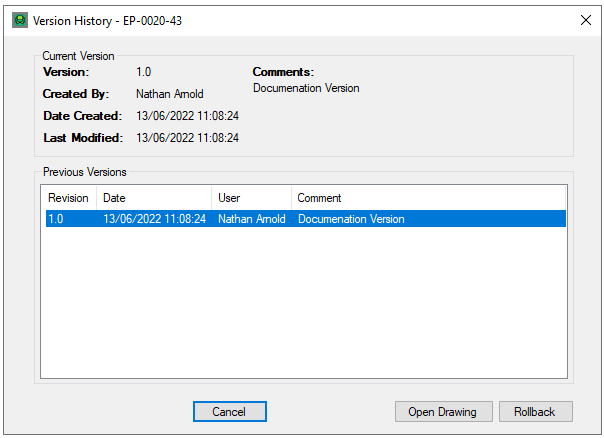
Selecting a Version/Revison of the drawing allows the user to open it via the  button, or roll the current version of the drawing back to the selected version via the
  button
Clicking Cancel closes the dialog
New Revision
The New Revision window allows the user to cretae a new revision of a drawing

A description of the revision should be entered
Clicking creates the revision, closes the dialog
Drawing Comparison
The Drawing Comparison allows the user to view a comparison of two different versions/revisions of the same drawing.
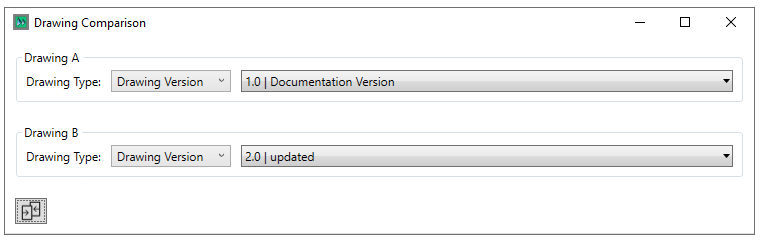
The Drawing Type to compare (Version/Briefcase) are selected in the first dropdown, and the specific version/revision is selected in the second.
Clicking  compares the drawings.