Document Management
Types of Documents:
- Drawings
- Text Documents
Create New Document
There is the facility with Hazid to create new documents to hold objects.
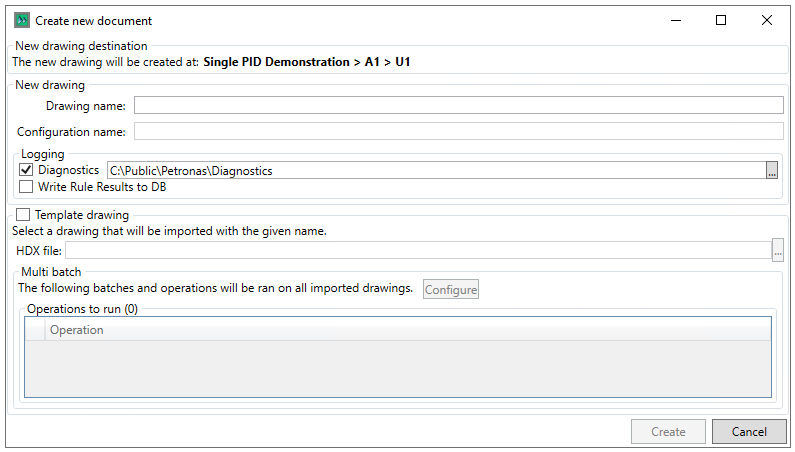
The user needs to enter the drawing and configuration names that they wish to create (these can be the same)
The logging section allows the user to write the creation diagnostices to a specified location, as well as the rule results to the database, if rules are being run.
The Template drawing section allows the user to specify a template hdx file via the  button, as well as configure Multi Batch Operations via the
  button
Once the Details are filled in, then the document is created by clicking the  button, clicking
  exits the window without creating a document.