Update Package Connection
The package connection settings are used to define the other packages to which as drawing is associated.
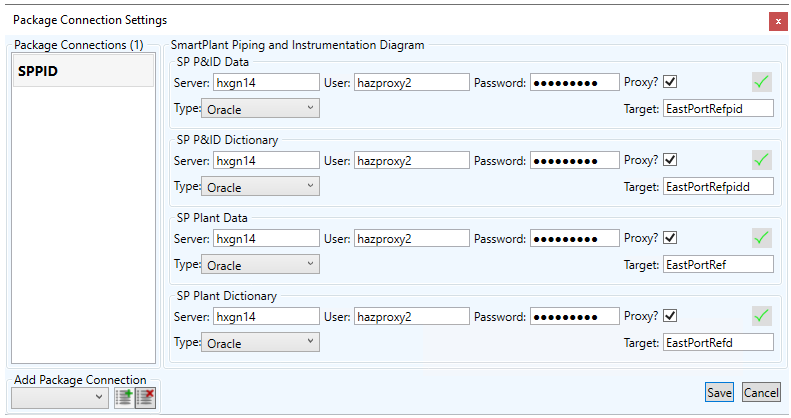
If the drawing is imported from one of the HXGN applications (SmartP&ID, SmartElectrical, SmartInstrumentation etc) then the package connection will be pre-defined as the connection from which it was imported
The Connection details can be changed by the user, in order to link the drawing to a different connection if required.
If the drawing has been created/imported from elsewhere, then it can be linked to a HXGN package via the Add Package Connection section

The package is selected and added with the  button, existing connections are removed with the
  button
The user needs to enter the connection details of any new connection they add
The  button saves thier changes and
  exits the window without saving any changes