Report Viewer
Reports to display different data sets can be generated in IF from each level of the right click menu, this section will outline how to access the reports and the data that each different report type will display.
To access a report select "View" on the report that you wish to see
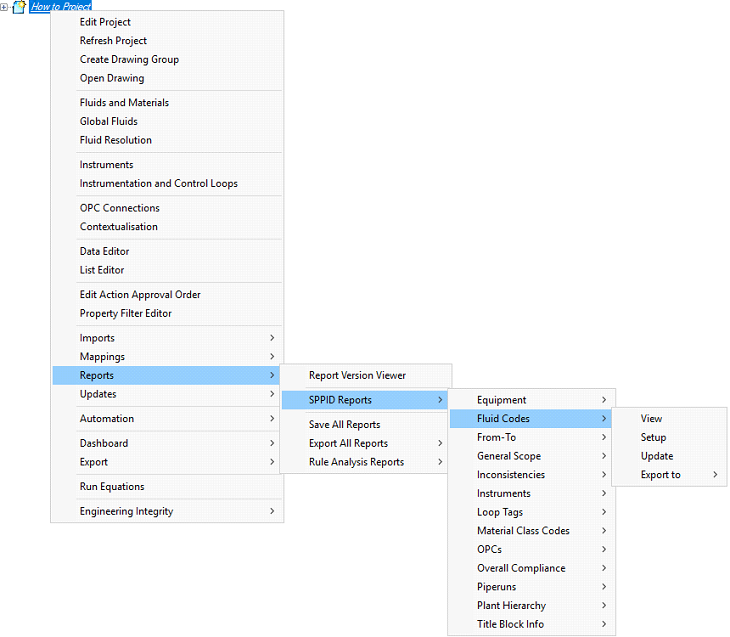
This will open the report view.
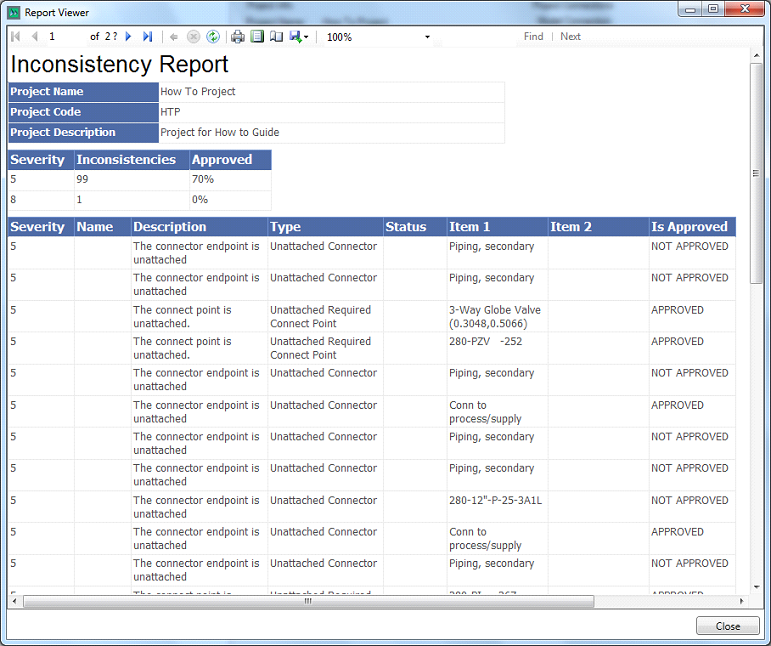
(Note that reports can be exported to Excel, PDF or Workd formats from the right click menu)
Reports are made available through the report viewer window. Each report has a Report Name at the top and a summary table containing the Project, Name, Project Code and Project Description.
Toolbar
The toolbar at the top contains a number of important buttons:
 - Allows you to navigate through the report
 - Refreshes the Report Viewer
 - Allows you to print the Report
 - Allows you to view the print layout
 - Allows you to access a Page Setup window
 - Allows you export the report to Excel, PDF or Word documents
 - Allows you to zoom in and out
 - Allows you to search the report
 - These buttons are permanently greyed out and are unavailble