Custom Rule Types
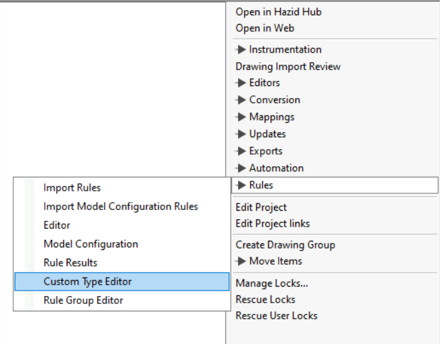
Rules in Integrity can be used to check almost anything about a drawing, from complete and correct data to safety analysis. Before any rules can be built, at least one Rule Type must be created. A rule Type contains a group of rules intended to be run together. To Create a Rule Type in Project Editor, click on Custom Type Editor under Rules
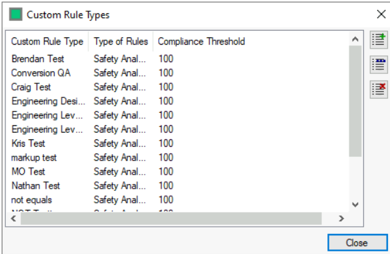
In the Custom Rule Types window, click the  button to add a new Rule Type
The Create Custom Rule Type popup will prompt for a name to be assigned to the Rule Type, A Type (either Safety Analysis or Safety Analysis and Functional Evaluation (SAFE)) and Compliance Threshold.
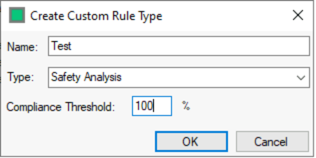
Safety Analysis is used for most rules which give a Pass/Fail result based on a trigger condition, while SAFE allows for the generation of cause-and-effect charts. The Compliance Threshold is the percentage of rules that must pass on an item for the item to be considered to pass the Rule Type in reports, it is generally set to 100%.
Click OK and the new Rule Type will appear on the list.
Clicking the  button allows the editing of the selected Rule Type
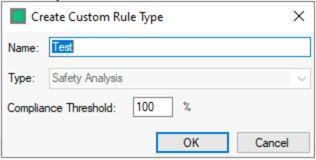
It is not possible to switch between Safety Analysis and SAFE after the Rule Type is created.
Clicking the  button will delete the selected Rule Type