Drawing Import Review
When a user imports a drawing into a project, it will be added to the Drawing Import Review queue.
This is accessed from Project Editor, with the root level of the project selected, click the “Drawing Import Review” on the right-hand menu.
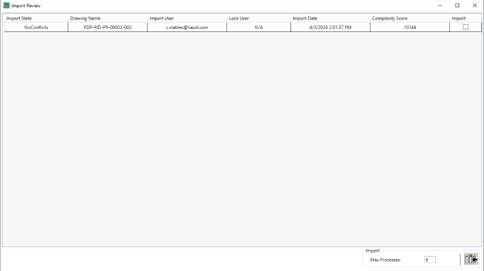
From here, drawings which have been recently imported are displayed. It also will indicate if there is a conflict with existing drawings in the project before finalising the import process.
The  button will import all drawings from the list with no detected conflicts, or you can select drawings individually with the check box under Import
  will import only the selected drawing(s).
 will delete the selected drawing(s) and
  will delete all drawings from the import review.

There is also a check the boxes here to determine whether to Upgrade Drawings to HDX+ and create a new version, and to create a Briefcase on the drawing. (It is possible to upgrade without creating a Briefcase but cannot create a Briefcase without first upgrading).