Symbol Filter
The Symbol Filter is used to filter equipment in the Data Editor according to the symbol used in the SmartPlant P&ID source file.
The Symbol Filter is accessed via the Symbol Filter tab, which is enabled via the Views Menu.

Selecting 'Equipment Mappings' allows you to set the filter to either mapped or unmapped items.
Selecting 'Symbol/Group' allows you to select which symbols to filter to:
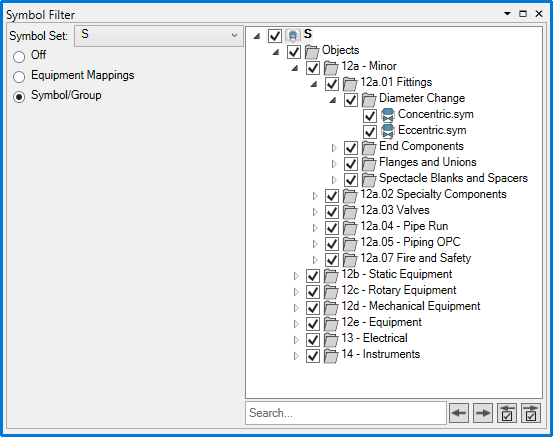
Symbol groups can be expanded with  . Checking the boxes next to the symbols and groups sets the filter to those symbols. The 'Search...' field is used to search for symbols by name. The
  buttons cycle between search results, and the
  buttons cycle between checked symbols and groups. To apply the filter, click
  button on the Data Editor toolbar.