Equipment Filter
The Equipment Filter is used to filter the Data Editor to an individual equipment item.
The Equipment Filter is accessed via the Equipment Filter tab, which is enabled via the Views Menu.

Selecting the 'Search' radio button provides a field to enter the equipment name to filter to, which includes a drop-down list of every equipment name in the grid. Checking 'Use Drawing Selections' replaces the list with the items currently selected in Drawing Viewer.

Selecting the 'Regex' button provides a field to enter a RegEx term to match with the equipment name.

Selecting the 'Type' button provides a menu of equipment types to filter by.

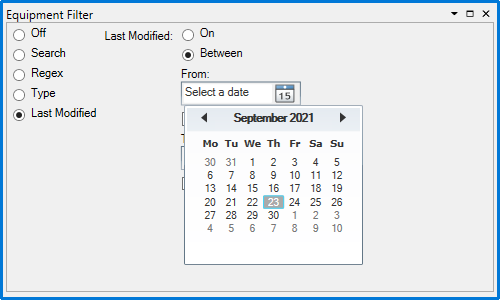
Selecting the 'Last Modified' button allows you to filter based upon the date an equipment item was last modified. Select 'On' to specify a single day, or 'Between' to specify two dates between which the modification would have taken place. Click  to open the calendar to select a date from:
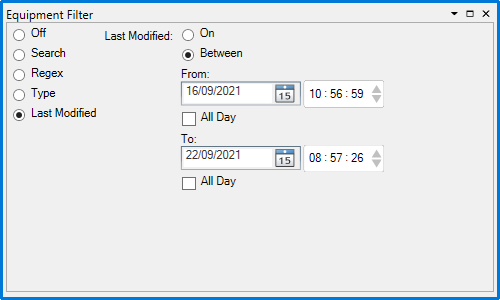
Unchecking the 'All Day' checkbox allows you to specify a time of day as well:
To apply the filter, click the  button on the Data Editor toolbar.