Mapping
The Mapping panel in Data Editor can be used to manually map and re-map items to models. It is accessed via the Mapping tab, which is enabled via the Views Menu.
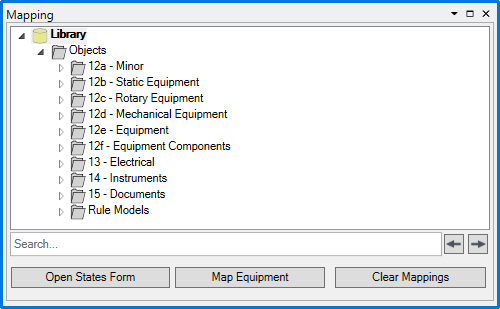
While items from the grid are selected, select the model from the tree and click 'Map Equipment' to map the selected items to the selected model. Click 'Clear Mappings' to unmap the selected mapped items.
Clicking 'Open States Form' while mapped items are selected allows States to be set if available:

Checking a state applies it to the selected items.