View Options
The SPPID Dashboard allows you to review the overall compliance of a plant through a number of compliance panels and compliance grids. The structure of the Dashboard can be rearranged.
The toolbar at the top of each panel allows you to rearrange the structure of the panel:
Selecting  and the
  detaches the panel from its position
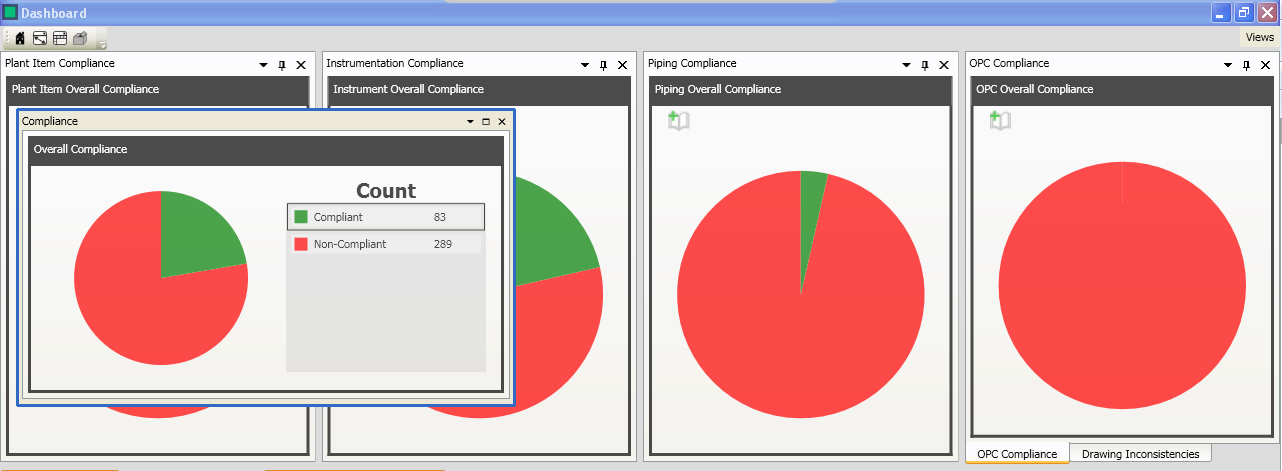
Clicking and moving the panel will display a guide diamond used to dock the panels:

You can place the panel in another location by dragging and dropping the panel onto one of the docking guide icons.
The other options available from the panel toolbar are:
- Dock
- Dock as Tabbed Document
- Autohide or

- Close of

There are also viewing option available from the toolbar at the top of the Dashboard:
 Selecting the "Home" button removes all filters from the dashboard and reverts the dashboard to the original view.
 Selecting "Zoom Main" hides all other panel except from the grid panel.
 Selecting "Show All" reveals all hidden panels.
 Selecting "Default Layout" reverts the dashboard structure to its default layout.
 The "Views" dropdown menu list all of the panels in the dashboard. A will appear next to the panel name if the panel is open. If the panel has been closed then no will appear next to the name.