Setting States
Setting states in the rule allows you to specify in what equipment state an item must be before the rule has been run or which state an item to find must be in. This allows for simpler rule creation and less reliance on the correct data being entered in the P&ID.
The Any state checkbox when marked will enable the rule or find the item regardless of the state it is in. Unchecking the Any state box allows you to define a particular state or states.
Select the  to open the state selection tool.
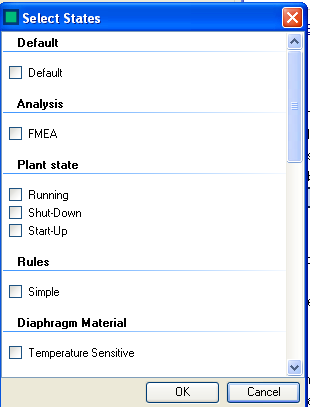
Select the state by marking the appropriate check boxes. Note that Default is classed as a state for state selection. Multiple states can be set and P&ID Integrity will match the item against any of the stares that it is currently in.
Select  to save the state selection
Select
to save the state selection
Select  to close the form and revert the changes.