Custom Type Editor
Custom rule types are used to store different Engineering Integrity Rule libraries for use when analysing a project. These may be used to store different regulatory standards for checking compliance or your own company or clients project requirements.
Custom Rule types are stored as either Safety Analysis Rules or SAFE Checklist. Text Rules are created under Safety Analysis.
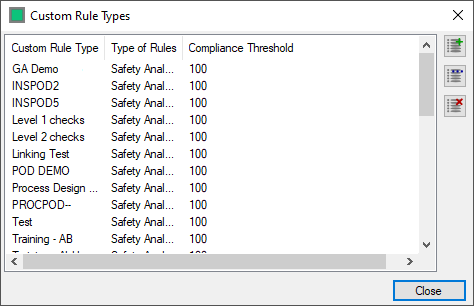
To add a new Custom Rule Type select  to open the addition form.

Complete the fields
- Name - The name for the Custom Rule Type
- Type - The Rule Type you are creating - SAFE for Cause and Effect Charts, Safety Analysis is for Checklist Rules
- Compliance Threshold - The overall compliance threshold, this is the percentage of rule groups that need to be compliant in order for the Overall Custom Type to be considered to be compliant in the dashboard.
Select  to save and Close the Form
Select  to close without saving the Rule Type
Select the Rule type you wish to delete from the list and select the  button
If there are rules associated with the Custom Rule Type you are deleting Hazid Integrity will prompt you to transfer them to another Custom Rule Type

Selecting stops the process, selecting  deletes the custom type and all rule groups and rules within it, selecting
  opens theCustom Rule Type Migration window

Select the Custom Rule Type you wish to move the rules to and select 
Selecting stops the deletion.