Rule Analysis Statistics
The Rule Analysis statistics form consolidates all of the rules that ran on user's Project and displays an overall percentage of Passed or Failed item for each Project Level. Allowing user to rapidly see the overall quality of their Project quickly and efficiently.
The Rule Analysis Statistics works off the Project Tree enabling user to view the results from a high overall level down to individual Equipment Items within their P&IDs.
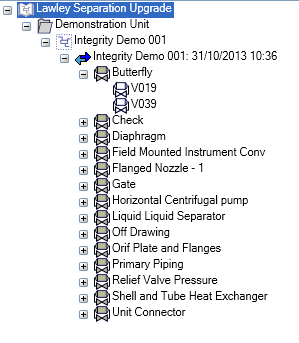
Selecting at any level of the tree displays the percentage of rules Passed or failed based on the filter user has set from the Drop Down

The form shows the Rule statistics based on the Custom Rule Types run and these can be displayed or not based by selecting the Custom Rule statistics user wishes to see.

The Rule Statistics display the number of rules and percentage depending on the filters user has set
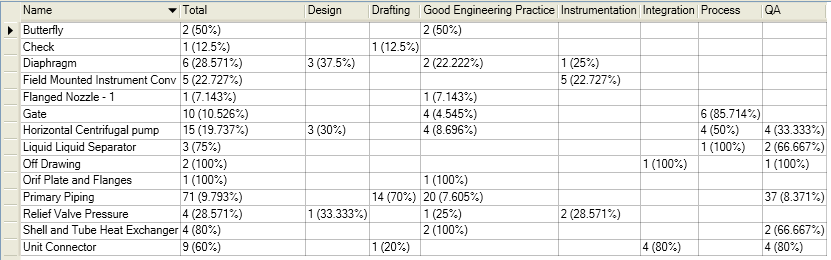
From the Configuration level of the tree down user may right click on any column header to Open the Rule Results form filtered to the Tree Level and custom rule type.
Select  to Exit the Rule Statistics Form