Accept/Reject Rule Results
Here user can override the rule status and set the rule that they are overriding to either passed or failed, depending on the initial status of the rule. User can Override multiple rule results by using the Shift or Ctrl keys.
User can add a comment without overriding the status but if the status changes, a comment must be added.
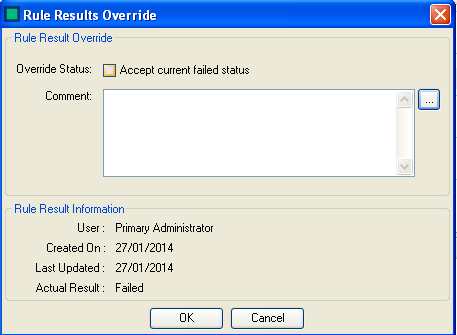
The Override form has the following items
- Override Status - Sets whether user wishes to override the rule as Passed or Failed
Comment Enter a comment as to the reason for override or user can just enter a comment without. Selecting the
 allows you to select a comment from the list editor or one which has already been added manually to a similar model within the rule evaluation.
 - User - The logged in user adding the comment
- Created On - The date the rule analysis was created
- Last Updated - The last update time for the rule analysis
- Actual Result - The result of the rule from the analysis
Select  to save your comment
Select
to save your comment
Select  to close the form without committing changes