Associated Properties
Hazid Integrity can store extra data associated with properties from the P&ID. This allows you to run P&ID Integrity rules on information that you would not normally find within the P&ID such as the Piping Material class data.

You can store multiple Associated Property Lists which can all contain a mix of united and text values.
Select  to create a new Associated Property List

Enter all Fields
- List Name - A recognisable name for the list
- Controlling Property - The external property that will have the list associated with it. You can select from the Dropdown or use the Browse to select from the property tree.
- Comment - A description of the list contents
The List Creation page opens
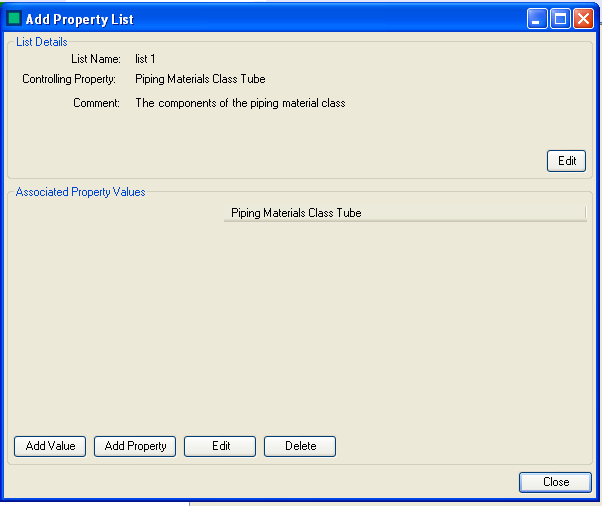
You can edit any of the entered list details at any time by selecting 
Select  to add a value as would be defined in the controlling property to the list
Select
to add a value as would be defined in the controlling property to the list
Select  to add an associated property to the list.
Associated properties can be added as three types
- Text - A Text Value
- Number - A Numerical Value
- Unit - A United value. You also must define a unit type and default unit.

Enter a name for the value and select the appropriate Type of Value from the radio buttons.
When you have entered all of the Properties you wish to associate with the controlling property you can enter the value in the fields.

The associate Property Editor will only allow you to enter the correct value type into the fields.
To edit a value select the cell and select
To delete a value select the cell and select 
Select  to exit the form