Model Groups
Create Model Group
All Hazid Knowledge Models are stored within Model Groups. Model Groups can be created at any level of the Model Tree beneath the Root allowing you full flexibility in the creation and structure of your Model Library.
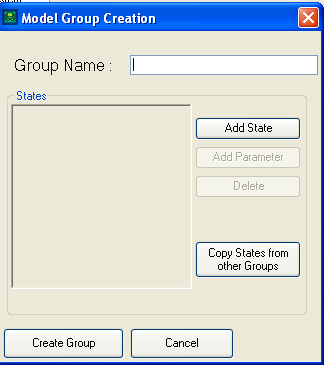
- Group Name - A Name for your Model Group. A mandatory field
- States - The Model Group stores all non-global states for each model directly beneath it in the tree. For more Information see Creating Model States
- Copy States from Other Groups - You may import bulk states from other Model Groups in the Model Library For more Information see Copying Model States
Select  to create the Model Group in the Library
Select  to close without changes
Edit Model Group
All Hazid Knowledge Models are stored within Model Groups. You may wish to update Model Groups States or Name.
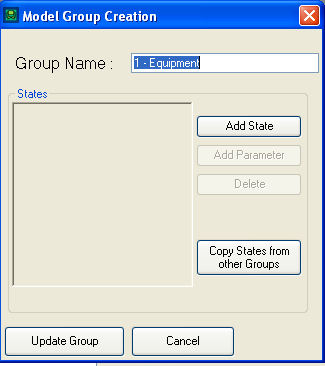
- Group Name - A Name for your Model Group. A mandatory field
- States - The Model Group stores all non-global states for each model directly beneath it in the tree. For more Information see Creating Model States
- Copy States from Other Groups - You may import bulk states from other Model Groups in the Model Library For more Information see Copying Model States
Select  to update the Models with the new states.
Select to close without changes
Remove Model Group
Removing a Model Group will remove the Group and any sub items or Models beneath it
Model Group Options
All Model Group Options,
- Create Group - Create a Model Group at a specified level beneath the Model Root
- Edit Group - Edit the specified Model Group
- Remove Group - Delete the specified Model Group and all items beneath it
- Create Model - Create a Hazid Integrity Model
- Rules > Editor - Enters the Rule Editor with the Model Group pre-selected
- Refresh Group - Refresh the Model Group and all sub items from the database