Import Symbols
Hazid Integrity can use the reference symbols from SmartPlant P&ID to Icon map the symbol to a Hazid Knowledge model for use in the Project
When Importing the symbols Hazid Integrity will determine the root path of the reference library.
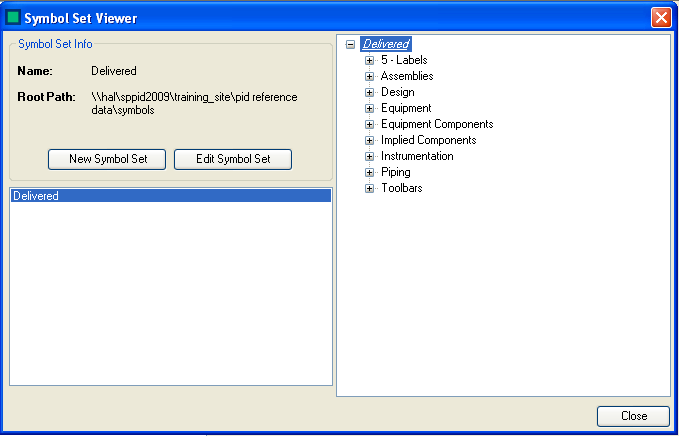
- Name - The Name of the current symbol set as imported from SmartPlant P&ID
- Root Path - The current Path to the root of your symbol reference data
Select  to create a new symbol set.
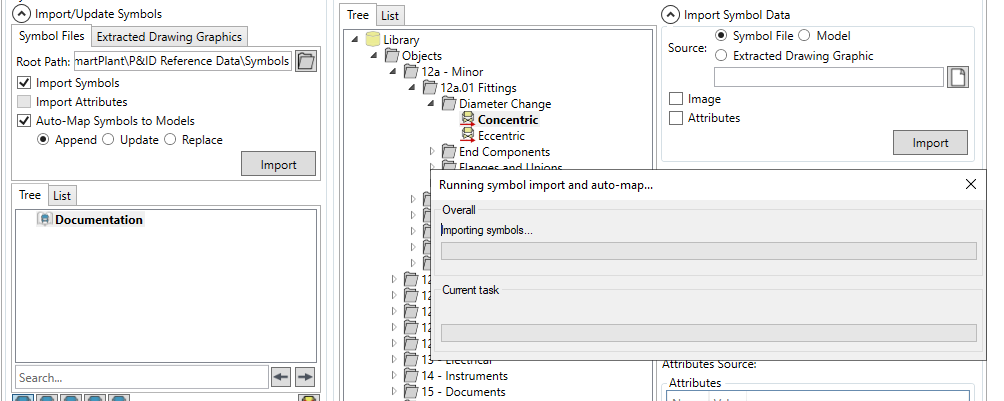
Complete the fields required
- Name - A name for your symbol set
- Root Path - The path to your symbol folder you wish to import. selecting
 allows you to edit the root path. Selecting
  sets the symbol root path to that of your last connection within SmartPlant P&ID
Marking the  checkbox will Import the symbol files from the folder on selecting
The imported Symbols can be viewed in the symbol tree

The  button allows you to update an existing symbol set be reimporting symbols from the SPPID symbol file structure.
Select  to exit the form