Import Full Model Configuration Sequence
Hazid P&ID Integrity allows you to store your rule in the project and also to store your standards and good engineering practices at a corporate level in the Model Library. This allows you to store rules once and reuse them for all projects. If rules are created or modified within a project you can update the model library with any rules you feel might be useful or move them directly to another project.
Selecting to Import Full Model Configuration Sequence allows you to to completely overwrite the current model configuration rules with all from the Model Library to the Project or vice versa.
To begin a rule import you must first select the direction of import
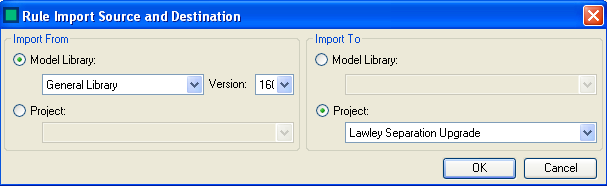
You can Import from:
- Model Library to Model Library
- Model Library to Project
- Project to Model Library
- Project to Project
Select  to start the Import Procedure
Select
to start the Import Procedure
Select  to stop the Import Process