Piperuns Rules
Once connections have been established, it is useful to organize the connected piping sections and components into pipe runes. There is functionality present within Aurelia to manually link these components into runs (via the Piperuns panels), but it is more expedient to use rules to do this.
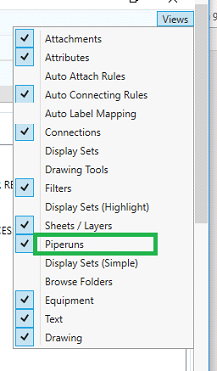
Once the P&ID has opened select “Piperuns” from the View Menu
This opens the Piperun creation window
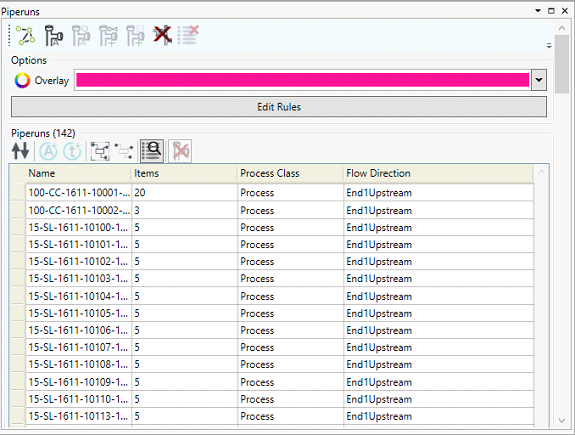
Here you can manually add piperuns by selecting the items that they are comprised of and then clicking on the  buttons to add a process or signal piperun. However it is more expedient to create auto-piperun generation rules, to do this, click on the
 button, to open the pipe run rule definition window.
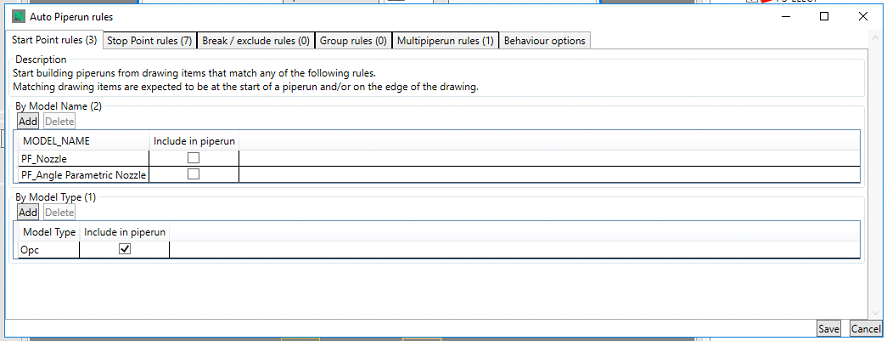
Here you define the Start, Stop, and break points; the pipe run attribute groups, equipment that can exist in multiple piperuns and the behavior of the pipe run rules.
Here you define the Start, Stop, and break points; the pipe run attribute groups, equipment that can exist in multiple piperuns and the behavior of the pipe run rules.
Start Points
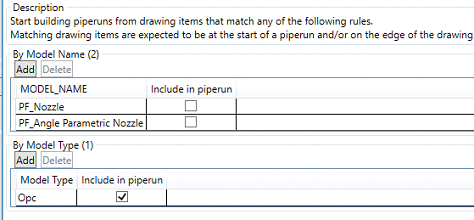
Here you define either the Models or Model types that are valid start points of the pipe runs, by clicking the button and entering the name or type. As shown above, typically nozzles on equipment an OPCs are valid start points.
Stop Points
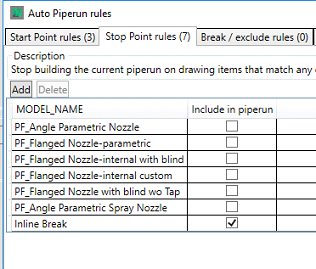
Here you define where piperuns stop, by entering the clicking the and entering the model name. As shown above, pipruns typically stop at nozzles or breaks, the “Include in piperun” check box is used to add the end item into the piperun.
Break/Exclude Rules

These rules allow you to exclude an item from a piperun (or break a run at that point) when a certain attribute condition is met. Set the attribute on the left hand size, choose the modifier (==, !=. <, >, <=, >= or Regex) and then set the options to define your Break/Exclusion Property.
Group Rules
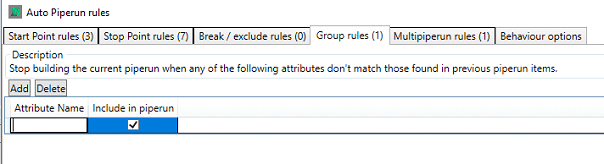
Group Rules allow you to define where to stop building a piperun based upon a change in attribute, to do this, click on button and define the attribute upon which a change will end the piperun.
Multipiperun Rules
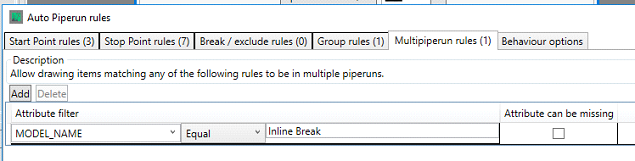
Here you define the attribute value(s) that allows a piece of equipment to be present in multiple piperuns, in the example above, the rule is allowing break models to be present in multiple piperuns, based upon their model name.
Behaviour Options
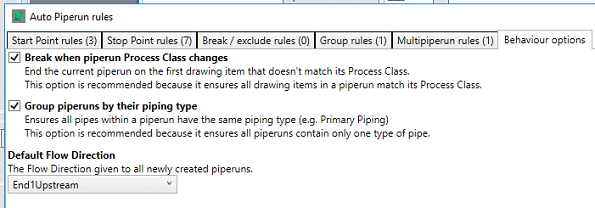
Here you define the Class Break, Piping Type Grouping and Flow direction options, these can be left as the defaults.
It should be noted that during the configuration phase of a project, you will need to run, clear and revise the piperun rules until you are satisfied with their outcomes