Create Equipment
The Create Equipment action type can be used to create new equipment items linked to the Model Configuration Rule source item.
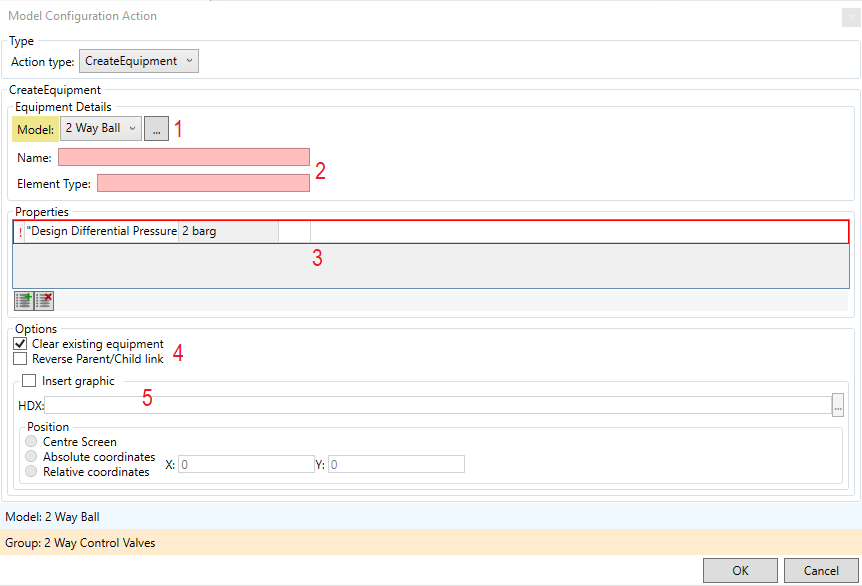
- Model - Select which model the new equipment is to have from the list, or browse with
 .
. - Name/Element Type - Enter the Equipment Name and Element Type for the new item
- Properties - This can be used to pre-fill property values for the item. Click
 to add a property. Click on the property name to expand the property list or browse with . Enter the value in the adjacent field.
 - Options:
- Clear existing equipment - deletes the source item
- Reverse Parent/Child link - sets the new item as the parent of the source item
- Insert Graphic - Allows a symbol for the new item to be created in the drawing. Click to browse for a HDX file of the symbol. The position can be set as the centre, adjusted by relative coordinates or specified as absolute coordinates.
Click  to create the action