Running Model Config Rules
Model Configuration Rules can be imported from the Model Library (where they can also be created/stored) and then run on Data import, this method imports and runs all Model Configuration rules present in the Model Library against the data you are importing. The Model Configuration Rules can also be run manually at any point in the project you wish from the Drawing/Data level right click menu:
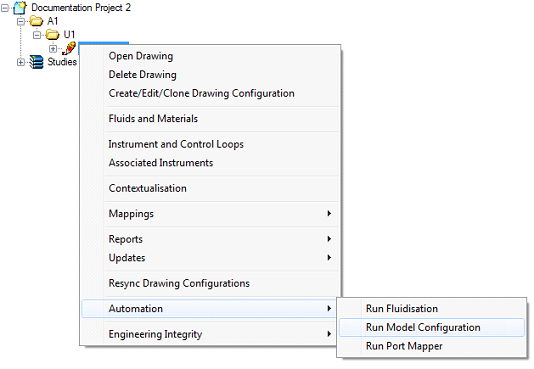
This opens the Run model configuration rules dialog
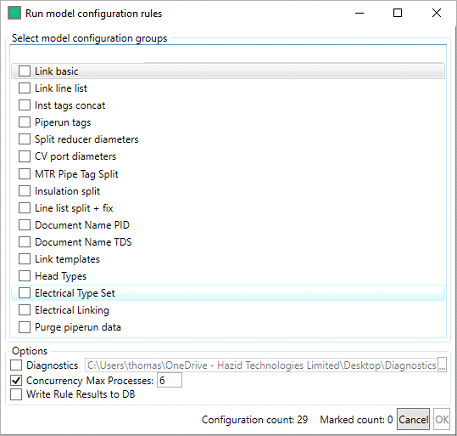
Here you select the Model Configuration Rule Group (or Groups) that you wish to run on the data using the checkboxes, specify a diagnostic folder if you require one, and then click on the  button to run the Model Configuration Rules.