Model Configuration Actions
There are 10 types of actions that can be performed by model configuration rules. These are chosen from the Action type menu on the Action window:
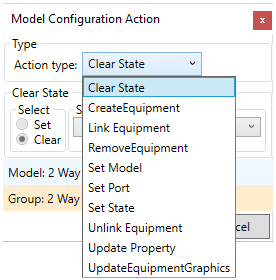
- Clear State - Removes states from the equipment
- Create Equipment - Create new equipment items
- Link Equipment - Create links between items
- Remove Equipment - Delete equipment items
- Set Model - Change the model the item is mapped as
- Set Port - Map the connection points to ports
- Set State - Apply states to the equipment
- Unlink Equipment - Remove links between items
- Update Property - Change the values of properties on the item
- Update Equipment Graphics - Change the symbol used by the item on the drawing