Model Selection
The Model Selection window is used to select the models that you wish the alogorithm to make use of the symbol template library for.
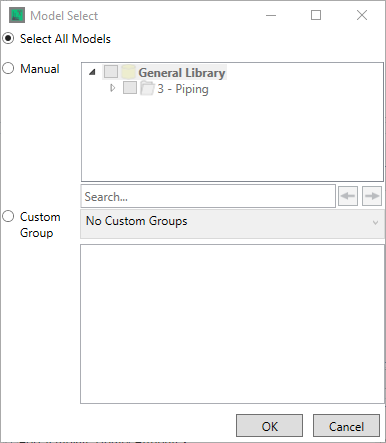
By default, all models are set to be checked if they have correponding symbols available for them in the symbol template library.
The "Manual" Radio button allows you to specify the groups/models you wish to include in the algorithm via the checkboxes. Note that the tree is limited to only models that have symbols present in the Symbol Template Library There is a standard seach box available to search the tree here.

The "Custom Group" Radio button allows you to select a Custom Group from the drop down, if custom model groups have been defined - again these models will only be used if they have symbols present in the Symbol Template Library
Once you have made your selections, clicking  saves your changes, clicking
  exits the window without saving.