Rule Standards
The Rule Standards panel serves as an alternative to the Rule Filter for filtering to rule results in the Data Editor. It incorporates a document viewer within which the standard documents can be displayed, and rules can be linked to the corresponding statements in the standard. The Rule Standards panel is accessed via the Rule Standards tab, which is enabled via the Views Menu.
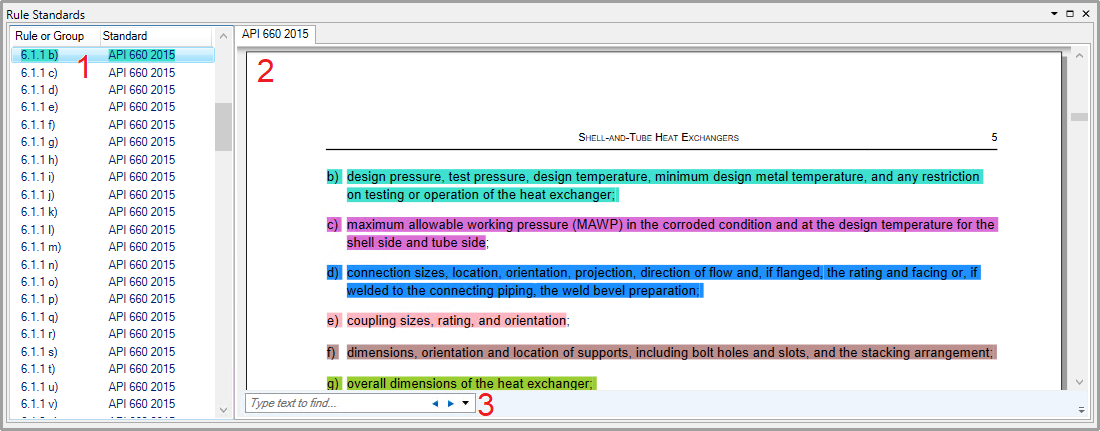
- Rule List - This lists all the rules linked to a standard by title, with the name of the source standard. Right-clicking a rule enables it to be set as the Rule filter:

Clicking  on the toolbar applies the rule filter to the grid
- Standard Viewer - This displays the standard document for the selected rule, with the relevant statement highlighted in the same colour.
- Search Field - This can be used to search the text of the standard document.