Drawing Equipment Summarry in the Hub
The Drawing Overview page features a filterable equipment list that functions in a similar way to the Data Editor.
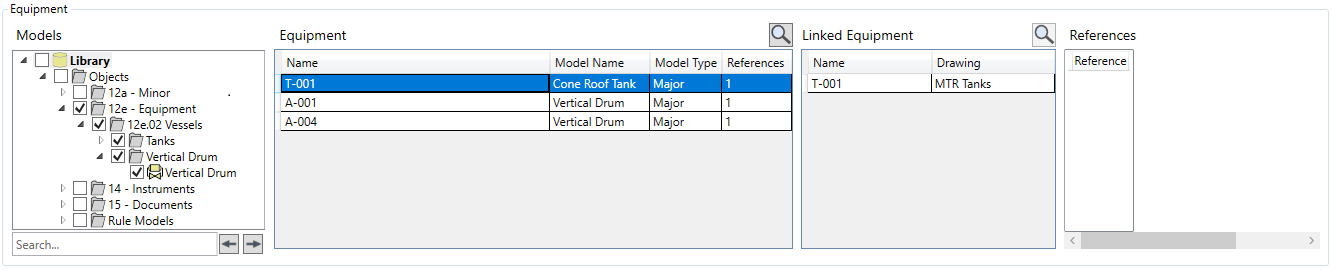
Models - This functions as the model filter for the equipment list. The model tree is displayed containing everything that is mapped in the drawing. Selecting one or more models will show items with those models in the equipment list. The Search field can be used to find models, and  are used to cycle through results.
Equipment - The filtered list of items in the drawing is displayed here, including the Name, Model, Model Type, and number of References. The  button opens the Quick Search window to search for items with the selected item's name.
Linked Equipment- When an item is selected from the equipment list, any linked items are listed here, along with the drawing they are in. The button opens the Quick Search window to search for items with the selected item's name.
References - When an item is selected from the equipment list, any attached reference documents are listed here.