Creating and Viewing Fluids
To create a new fluid in the Fluid Library open the library fluid list by double clicking on the library title in the Fluid Editor.
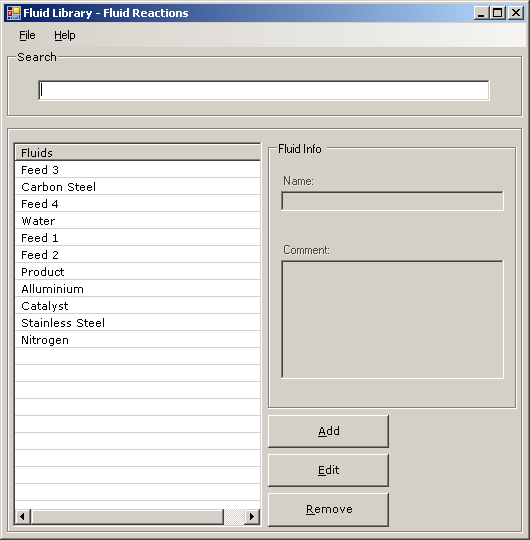
Click on the  button to add a new fluid to the library, this opens the ‘Add New Fluid’ window.

There a four steps to creating a new Fluid in the fluid library, the form show here is filled out for ease of understanding
Name – The name of the fluid library that you wish to create
Type – The Item Type as it will be stored in the library, there are three discreet item types.
Fluid - A fluid item, can be any process fluid MaterialOfConstruction - An item that contains the data on a material of construction, i.e. SS316L Unspecified - An item within the fluid library that is neither a process fluid, nor a material of construction.
Reactivity Group – To add a reactivity group to the fluid click on the  button, this opens the reactivity group selector.

To add a reactivity group to the project select the group(s) that you wish to add, using ctrl or shift click, then click on the  button.
Comment – Add a comment to the fluid if you wish.
Once you have finished creating the fluid clicking on the  button will create the fluid in the library.
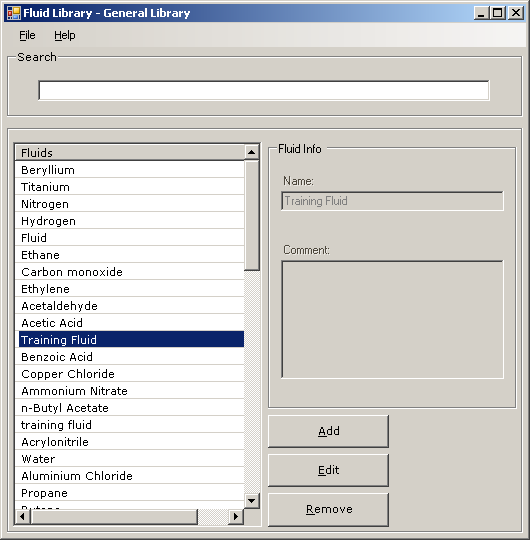
To begin entering the data for the fluid that you have created, double click on the Fluid in the fluid library.
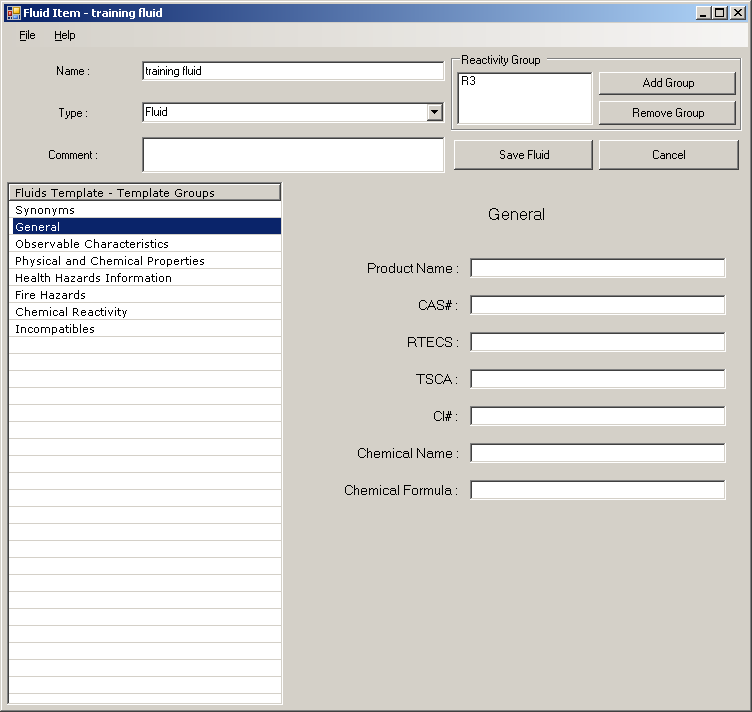
To enter fluid data into the database select the Group to which you wish to add the data and then type the relevant data into the correct fields. Once you have finished entering any data that you wish to add clicking on  will save the fluid to the database. Note that the fluid name, type, reactivity group and comments can be amended here.