Show/Hide Layers
From within the Drawing Viewer, select the show/hide layers icon.

Show/hide layers is used to display the layers in the drawing that you wish to see
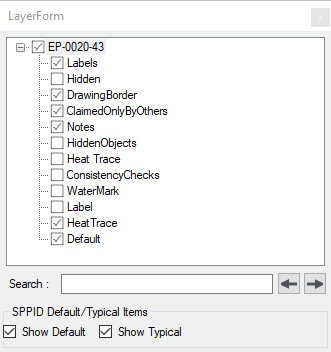
Layers are displayed/hidden via the check boxes in the tree, for drawings with large numbers of layers, a standard search box is available. The checkboxes are used to show/hide default / typical items in SPPID drawings.