Selected Equipment
The Selected Equipment tab displays a list of all of the items that you have selected using the Alt or Shift click method, it appears as below.
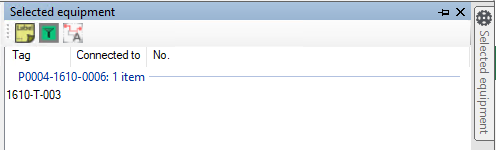
The Selected Equipment tab shows not only a list of the equipment selection but displays which item nozzles in the selection are attached to and the number of similarly named items.
The  button includes/excludes lables on the selected equipment in the Selected Equipment Tab
The
button includes/excludes lables on the selected equipment in the Selected Equipment Tab
The  button opens Data Integrity pre-filtered to the items shown in the Selected Equipment Tab
The
button opens Data Integrity pre-filtered to the items shown in the Selected Equipment Tab
The  button highlights linked items on the drawing (and other documents)